
Pizza Boy A Pro
Pizza EmulatorsArcade
4.81.82K Reviews
- Version
- 3.8.4
- Installs
- 100.00K
- Age Rating
- Everyone
Screenshots
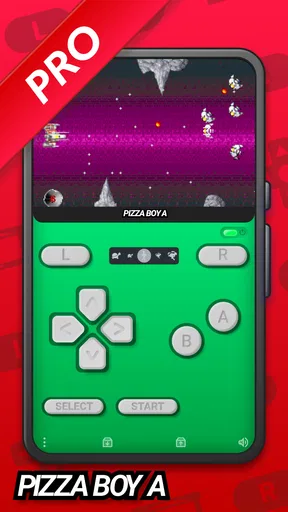
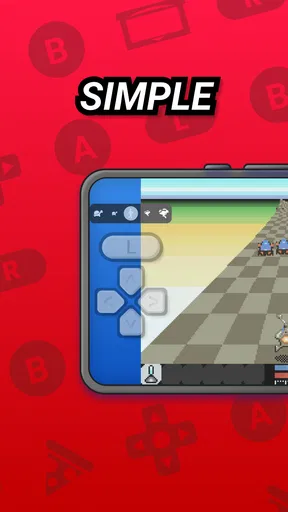
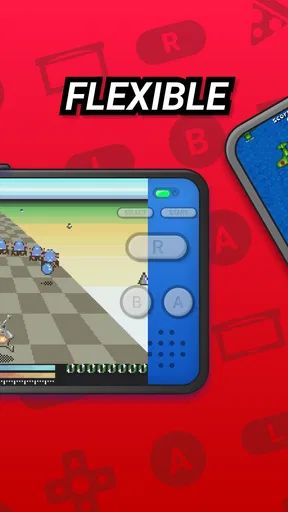
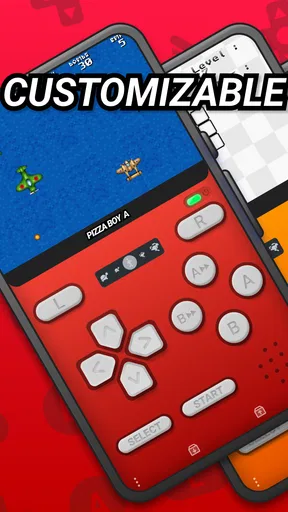
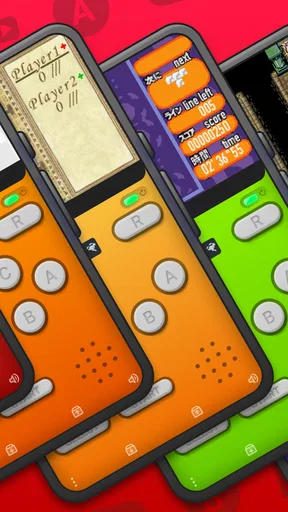
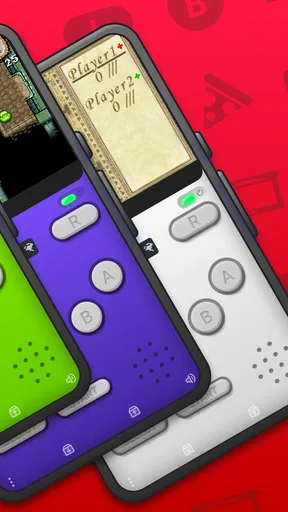
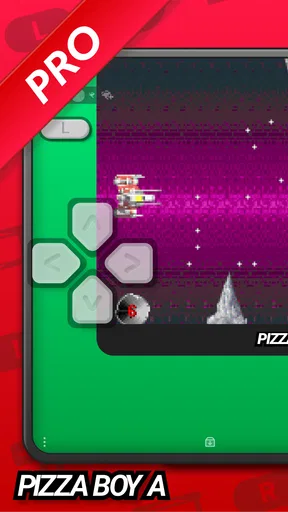
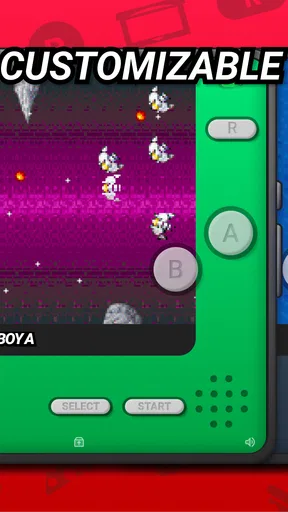
Our Review of Pizza Boy A Pro
 Analysis by Appyee
I find Pizza Boy A Pro most useful when I want a quick return to Game Boy Advance-style play without carrying another device. It is an arcade game from Pizza Emulators, and its appeal is less about a new game to learn than about making familiar handheld play convenient on a phone. The basic rhythm is immediate: open a game, make a move, see how the controls respond, and decide whether I have time for one more attempt.
Starting a session without fuss
For a short break, that directness matters. I can pick up a game during a commute or while waiting for an appointment, play a little, then stop when I need to. The save-state option is especially practical for this kind of use: it lets me preserve a moment in progress rather than having to reach a formal checkpoint before putting the phone away. I’d still treat save states as a convenience, not as a replacement for a game’s own save system; keeping normal saves where a game supports them gives me a more dependable routine.
The touch controls are also a personal-fit issue, not just a settings menu to browse once. Before settling into a longer session, I’d try moving the buttons to suit my thumbs and test them during a low-stakes part of a game. That small setup step can make platforming or other timing-sensitive play less awkward. If a game depends on precise inputs, a compatible physical controller may feel better than a touchscreen, so I wouldn’t assume the on-screen layout is ideal for every player or every title.
How the play loop feels
The satisfying part is the quick feedback: press a button, see the character or menu react, then adjust and try again. When I hit a difficult stretch, slow motion can give me more room to understand a sequence, while fast forward can help move through parts that feel repetitive. Those tools can change the pace, but they don’t make every challenge effortless; I still need to learn the timing and make the right inputs. Used selectively, they keep a frustrating section from turning into a reason to quit.
That creates a simple reason to return. I might stop after a successful attempt, or save my place because I want to try a tricky section again later. The app is best for people who already have games they want to revisit and enjoy adjusting a handheld-style setup to their taste. If you’re looking for a brand-new arcade game with its own levels, story, and rewards, this is the wrong kind of purchase: it is an emulator, not a standalone game with a campaign of its own.
What the full version is worth
The full version costs $5.99, so I’d decide based on how often I expect to use it rather than on nostalgia alone. Someone who plans to play regularly and values the extra flexibility of the paid edition may find that worthwhile. If you only want to experiment with emulation or play occasionally, compare the options available to you before paying. Either way, you’ll need game files you’re entitled to use; the emulator itself is not a collection of games.
First Impressions
When I first opened Pizza Boy A Pro, I was immediately hit with all the nostalgic feels. It’s designed to emulate those classic handhelds we all know and love, but with a modern twist. The interface is super clean and intuitive, which means you don’t have to spend forever trying to figure out how everything works. You just jump right into it!
The app doesn’t just look the part; it’s packed with features that really enhance the gaming experience. From customizable skins to adjustable control settings, it’s clear the developers put a lot of thought into making this app as user-friendly as possible.
Features That Stand Out
One of the coolest things about this app is how customizable it is. You can change the layout of the controls to suit your gaming style, which is a big plus if you’re picky about button placement like I am. And the fact that you can switch up the skins? It’s a small detail, but it really makes the whole experience feel more personal.
The app also supports fast forward and slow-motion modes, which are lifesavers for those tough levels you just can’t seem to beat. Plus, the save state functionality means you don’t have to worry about losing your progress when life calls you away from your game.
Performance and Compatibility
Now, let’s talk about performance. The app runs incredibly smoothly, and I haven’t experienced any lag or crashes while using it. It supports a wide range of ROMs, which means you can play pretty much any game you’re feeling nostalgic for. It’s compatible with both Android and iOS, so no matter what device you’re on, you’re good to go.
One thing to note is that while the app itself is free, some features are locked behind a paywall. However, the basic version still offers plenty of functionality for casual gamers. If you’re a hardcore retro gaming fan, though, it might be worth splurging for the full version to get the most out of it.
Why You Should Try It
Honestly, if you’re a fan of retro gaming, Pizza Boy A Pro is a must-try. It’s packed with features that make playing your old favorites a breeze, and the level of customization available is impressive. Whether you’re looking to relive your childhood or just want a solid emulator on your device, this app has got you covered.
There are a few practical checks I’d make before buying. The app is listed for Android with a minimum OS of 7.0, so I’d confirm that my device meets that requirement and has enough room for both the emulator and the game files I plan to use. The content rating is Everyone, but that describes the app’s rating rather than the suitability of every game someone might load into it; I’d check the age guidance for each title separately.
Choosing it over other ways to play
Compared with a dedicated handheld, a phone is easier to keep with me, but its touchscreen has no tactile buttons and can cover part of the action. Compared with a general-purpose emulator, this one’s focus on Game Boy Advance play may be a benefit if that is specifically what I want, rather than an all-in-one tool for several systems. I would choose a different option if I needed broader console support or if I wanted a physical device built solely for gaming. The trade-off is straightforward: portability and flexible controls on one side, and the feel of dedicated hardware on the other.
There is also a useful way to avoid turning setup into a project. I’d start with one game file I’m legally allowed to use, make sure it opens and responds properly, then adjust the control positions only after I know where the default layout gets in my way. Changing one thing at a time makes it easier to tell whether a layout or skin actually improves play. If I change several settings at once, it becomes harder to identify what caused a control issue or made the screen feel less comfortable.
When the trade-offs matter
Touch input is the main limitation I’d keep in mind. A layout that works for menus may still feel cramped during fast action, and no amount of skin customization changes the physical feel of buttons. Fast forward can also make a slow section pass more quickly, but it can make timing harder if I leave it enabled during active play. I’d use it for downtime between challenges, switch back before a precise sequence, and reserve slow motion for learning a difficult pattern rather than treating it as the default pace.
Compatibility deserves a similarly practical mindset. “A wide range” of ROMs does not mean I should assume every file will work perfectly, so I’d check a particular game early, before building a long play session around it. Keep a normal in-game save when possible, and use a save state as a quick pause point; that gives me two ways to protect progress without relying on one method alone. If a game has unusual controls or depends on a specific physical input, I’d test those parts before deciding the emulator suits it.
A purchase for a particular kind of player
The game has an average rating of 4.9 from around 18,000 ratings, with roughly 1,700 written reviews and over 100,000 installs. Those figures suggest that plenty of players have chosen it, but they don’t tell me whether its touchscreen controls will suit my hands or whether my favorite title will behave as I expect. The current version is 3.5.9, and I’d still judge it by my own device, preferred controls, and the games I actually want to play.
For me, the strongest everyday scenario is an interrupted one: I open a familiar game while waiting for a train, make a few attempts at a tricky section, save my position when boarding is called, and return to it later. That stop-and-start pattern is where quick access and save states matter more than a long list of settings. It is less compelling if I want a polished, self-contained arcade experience that works immediately without sourcing game files or adjusting controls.
The loop verdict is that Pizza Boy A Pro gives retro play a convenient phone-sized routine: act, get immediate feedback, use pacing tools when needed, and come back for another attempt. The full version is a sensible choice for someone who knows they want a Game Boy Advance emulator and will use its customization and save options. For a casual experimenter, someone without suitable game files, or a player who needs tactile controls and broad system support, I’d look elsewhere. The app is rated for Everyone, was released on September 29, 2019, and its $5.99 price feels easiest to justify when it will be part of my regular gaming rotation.
Give it a shot and let me know what you think! It’s always fun to hear other people’s experiences and see which games are their favorites. Happy gaming!
Verdict
Strengths of Pizza Boy A Pro
- Fast and responsive gameplay.
- High customization options.
- Accurate emulation quality.
- Supports multiple file formats.
- User-friendly interface.
Limitations of Pizza Boy A Pro
- Limited free features.
- Occasional performance lags.
- Ads in the free version.
- Requires high-end device.
- No multiplayer support.
Other Releases by Pizza Emulators
View All
Pizza Boy A Basic
Arcade4.9

Pizza Boy C Pro
Arcade4.3
Similar Picks in This Category
View All
Subway Surfers
SYBO Games4.6

Stickman Party 234 MiniGames
PlayMax Game Studio4.6

Subway Princess Runner
Ivy4.4

Temple Run
Imangi Studios4.2

Zombie Tsunami
Mobigame SAS4.6

Stack Ball - Crash Platforms
CASUAL AZUR GAMES4.5
Frequently Asked Questions
What is Pizza Boy A Pro and what features does it offer?
Pizza Boy A Pro is a highly optimized and accurate emulator for Game Boy and Game Boy Color games on Android devices. It offers features such as customizable controls, save states, fast forward, and support for physical controllers. The app is known for its smooth performance and high compatibility with various ROMs.
Is Pizza Boy A Pro user-friendly for beginners?
Yes, Pizza Boy A Pro is designed to be user-friendly with an intuitive interface that makes it accessible for both beginners and experienced users. The app includes easy-to-navigate menus and helpful tutorials to guide new users through the setup process and customization options.
Does Pizza Boy A Pro support multiplayer gaming?
As of the latest update, Pizza Boy A Pro does not natively support multiplayer gaming. However, users can enjoy local multiplayer by using multiple devices or through third-party apps that enable online play for compatible games. Always check for updates as new features may be added.
What are the system requirements for running Pizza Boy A Pro?
Pizza Boy A Pro requires an Android device running version 4.1 or higher. The app is lightweight, but for optimal performance, it is recommended to use a device with at least 1GB of RAM and a modern processor. This ensures smooth gameplay and efficient use of battery life.
Is Pizza Boy A Pro free to download and use?
Pizza Boy A Pro is a paid app, providing an ad-free experience with enhanced features compared to its free counterpart. The one-time purchase ensures you get regular updates and support. While there is a cost, many users find the premium features and quality performance worth the investment.
Play our best games!


